" transform="translate(9 5)" width="1px"/><path d="M 0 0 L 0 1326.821" fill="transparent" height="1326.8210000000001px" id="ZRgwahV9A" stroke-dasharray="2,60" stroke-linecap="butt" stroke-linejoin="miter" stroke-miterlimit="10" stroke-width="11" stroke="rgb(57, 57, 57)" transform="translate(9 5)" width="1px"/><path d="M 0 0 L 17.911 0 L 17.911 1331.68 L 0 1331.68 Z" fill="rgba(217, 217, 217, 0.02)" height="1331.68px" id="X4jq7L6bQ" width="17.911px"/></g></svg>)

Instant Compliance Checks for Engineering Drawings


Fit

Form

Function

Fabrication
Fit
Form
Function
Fabrication
Fit
Form
Function
Fabrication
Backed by Y Combinator
Contnly is an industrial hardware platform
Focused on standard engineering drawing compliance & interpretations
Founded June 2025
25 mm
25 mm
25 mm
25 mm
210 mm
Drag & Drop Files Get Instant Results
Drag & Drop Files Get Instant Results
ITAR Compliant
ITAR Compliant
Contnly provides instant standard engineering drawing compliance. If a drawing is not compliant, Contnly provides drawing corrections. With a compliant drawing, Contnly generates end-to-end drawing interpretations for standard definitions, inspection plan, and tolerance analysis application.
Contnly provides instant standard engineering drawing compliance. If a drawing is not compliant, Contnly provides drawing corrections. With a compliant drawing, Contnly generates end-to-end drawing interpretations for standard definitions, inspection plan, and tolerance analysis application.
Drawing Standard Compliance
Instant drawing compliance check to desired standard (ASME Y14.5 - 1994, 2009, 2018)

Drawing Correction
Suggests corrections to drawing errors to desired standard (ASME Y14.5 - 1994, 2009, 2018)
Suggests corrections to drawing errors to desired standard (ASME Y14.5 - 1994, 2009, 2018)
Drawing Interpretations
Provides truth-grounded interpretations for standard definitions, inspection plan, and tolerance analysis application
Provides truth-grounded interpretations for standard definitions, inspection plan, and tolerance analysis application
3a. Interpret Definitions
3b. Interpret Inspection Plan
3c. Interpret Tolerance Analysis Application
Mechanical Interface
Tracking & Documentation
Creates status and data visibility for all mechanical interfaces of an assembly





Drawing Standard Compliance
Instant drawing compliance check to desired standard (ASME Y14.5 - 1994, 2009, 2018)
Drawing Correction
Suggests corrections to drawing errors to desired standard (ASME Y14.5 - 1994, 2009, 2018)
Drawing Interpretations
Provides truth-grounded interpretations for standard definitions, inspection plan, and tolerance analysis application
3a. Interpret Definitions
3b. Interpret Inspection Plan
3c. Interpret Tolerance Analysis Application
Mechanical Interface
Tracking & Documentation
Creates status and data visibility for all mechanical interfaces of an assembly
X=7261618, Y=19821.019
X=7261618, Y=19821.019
X=7261618, Y=19821.019
X=7261618, Y=19821.019
X=7261618, Y=19821.019
X=7261618
X=7261618
X=7261618
X=7261618, Y=19821.019
X=7261618, Y=19821.019
X=7261618, Y=19821.019
X=7261618
X=7261618
X=7261618
X=7261618, Y=19821.019
X=7261618, Y=19821.019
X=7261618, Y=19821.019
X=7261618, Y=19821.019
X=7261618, Y=19821.019
X=7261618
X=7261618, Y=19821.019
X=7261618
X=7261618, Y=19821.019

Drop it. Done.
Drag and drop PDF and STEP files. Contnly handles the rest.
BUILT BY ENGINEERS WITH EXPERIENCE FROM

Features
Features
25 mm
25 mm
25 mm
25 mm
210 mm
Avoid costly scrap, rework, & wasted time with all stakeholders aligned on Contnly
Avoid costly scrap, rework, & wasted time with all stakeholders aligned on Contnly
ITAR Compliant
ITAR Compliant
ITAR Compliant
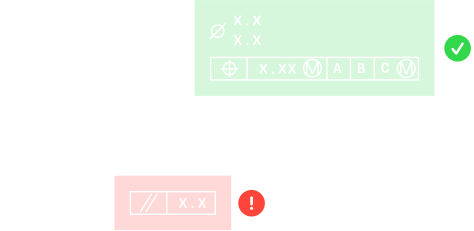
Compliant Drawings
Contnly helps you catch and fix drawing compliance issues instantly, so your team doesn’t waste time on back-and-forth reviews or supplier confusion. Clean, standard-compliant drawings reduce the risk of scrap and rework by making expectations clear from the start.

1
Compliant Drawings
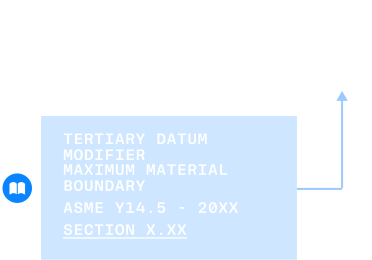
Standard Definitions
Contnly automatically interprets all GD&T symbols, datums, and notes based on the correct standards - no more second-guessing or misreading intent. Everyone from design to manufacturing sees the same definition, keeping teams aligned and avoiding costly miscommunication.
2
Standard Definitions
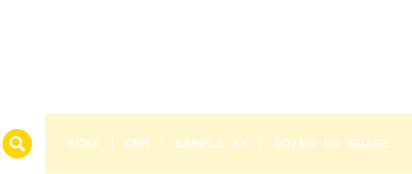
Inspection Plan
Contnly generates a complete inspection plan straight from the drawing, so quality teams know exactly what to measure, how, and where. This eliminates manual setup, reduces delays during first article inspection, and helps catch issues before they reach production.
3
Inspection Plan
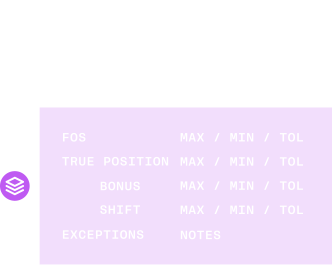
Tolerance Analysis Guidance
Contnly gives engineers everything they need from the drawing to set up a reliable tolerance analysis, including the critical stack-up paths, applicable features, and rule exceptions. By making it easy to bridge engineering drawings to tolerance analysis, teams can catch potential fit or function issues early - before parts are fabricated and assembled.
4
Tolerance Analysis Guidance
Compliant Drawings
Contnly helps you catch and fix drawing compliance issues instantly, so your team doesn’t waste time on back-and-forth reviews or supplier confusion. Clean, standard-compliant drawings reduce the risk of scrap and rework by making expectations clear from the start.
1
Compliant Drawings
Standard Definitions
Contnly automatically interprets all GD&T symbols, datums, and notes based on the correct standards - no more second-guessing or misreading intent. Everyone from design to manufacturing sees the same definition, keeping teams aligned and avoiding costly miscommunication.
2
Standard Definitions
Inspection Plan
Contnly generates a complete inspection plan straight from the drawing, so quality teams know exactly what to measure, how, and where. This eliminates manual setup, reduces delays during first article inspection, and helps catch issues before they reach production.
3
Inspection Plan
Tolerance Analysis Guidance
Contnly gives engineers everything they need from the drawing to set up a reliable tolerance analysis, including the critical stack-up paths, applicable features, and rule exceptions. By making it easy to bridge engineering drawings to tolerance analysis, teams can catch potential fit or function issues early - before parts are fabricated and assembled.
4
Tolerance Analysis Guidance
Compliant Drawings
Contnly helps you catch and fix drawing compliance issues instantly, so your team doesn’t waste time on back-and-forth reviews or supplier confusion. Clean, standard-compliant drawings reduce the risk of scrap and rework by making expectations clear from the start.
1
Compliant Drawings
Standard Definitions
Contnly automatically interprets all GD&T symbols, datums, and notes based on the correct standards - no more second-guessing or misreading intent. Everyone from design to manufacturing sees the same definition, keeping teams aligned and avoiding costly miscommunication.
2
Standard Definitions
Inspection Plan
Contnly generates a complete inspection plan straight from the drawing, so quality teams know exactly what to measure, how, and where. This eliminates manual setup, reduces delays during first article inspection, and helps catch issues before they reach production.
3
Inspection Plan
Tolerance Analysis Guidance
Contnly gives engineers everything they need from the drawing to set up a reliable tolerance analysis, including the critical stack-up paths, applicable features, and rule exceptions. By making it easy to bridge engineering drawings to tolerance analysis, teams can catch potential fit or function issues early - before parts are fabricated and assembled.
4
Tolerance Analysis Guidance
Compliant Drawings
Contnly helps you catch and fix drawing compliance issues instantly, so your team doesn’t waste time on back-and-forth reviews or supplier confusion. Clean, standard-compliant drawings reduce the risk of scrap and rework by making expectations clear from the start.
1
Compliant Drawings
Standard Definitions
Contnly automatically interprets all GD&T symbols, datums, and notes based on the correct standards - no more second-guessing or misreading intent. Everyone from design to manufacturing sees the same definition, keeping teams aligned and avoiding costly miscommunication.
2
Standard Definitions
Inspection Plan
Contnly generates a complete inspection plan straight from the drawing, so quality teams know exactly what to measure, how, and where. This eliminates manual setup, reduces delays during first article inspection, and helps catch issues before they reach production.
3
Inspection Plan
Tolerance Analysis Guidance
Contnly gives engineers everything they need from the drawing to set up a reliable tolerance analysis, including the critical stack-up paths, applicable features, and rule exceptions. By making it easy to bridge engineering drawings to tolerance analysis, teams can catch potential fit or function issues early - before parts are fabricated and assembled.
4
Tolerance Analysis Guidance
FAQ
FAQ
Is Contnly a CAD or PLM?
Neither! Contnly is an on-device hardware platform that uses 3D and 2D design files generated from CAD platforms as inputs. Contnly accepts files from major CAD platforms: NX, CATIA, SolidWorks, CREO, Fusion 360, & Onshape. Contnly itself does not create design files. Teams also use Contnly to document relevant data and status for assembly parts and interfaces instead of spreadsheets. Teams use Contnly to supplement the design release process before changing part & assembly maturity in their PLM.
Who should use Contnly & why?
Any industrial team that creates or works with engineering drawings should use Contnly! Industrial teams use Contnly to avoid the risk of engineers creating and releasing non-compliant drawings. Using Contnly also avoids the risk of non-design stakeholders like manufacturers, vendors, and internal teams of misinterpreting drawings. Industrial teams use Contnly to get all stakeholders aligned to avoid costly scrap, rework, and wasted time.
What about defense & aerospace use?
Contnly is actively pursuing ITAR registration and compliance to allow defense and aerospace teams to use Contnly. We will update all interested teams once ITAR registration and compliance status are obtained. In the meantime, we can conduct demos to showcase Contnly’s capabilities for defense and aerospace teams.
How about data security & compliance?
Contnly is committed to the highest standards of data protection and intellectual property security. We are actively working toward the following for Contnly: SOC 2 Type I (estimated completion: Aug 2025); SOC 2 Type II (estimated completion: Nov 2025); ITAR Registration (estimated completion: Aug 2025)
Is Contnly a CAD or PLM?
Neither! Contnly is an on-device hardware platform that uses 3D and 2D design files generated from CAD platforms as inputs. Contnly accepts files from major CAD platforms: NX, CATIA, SolidWorks, CREO, Fusion 360, & Onshape. Contnly itself does not create design files. Teams also use Contnly to document relevant data and status for assembly parts and interfaces instead of spreadsheets. Teams use Contnly to supplement the design release process before changing part & assembly maturity in their PLM.
Who should use Contnly & why?
Any industrial team that creates or works with engineering drawings should use Contnly! Industrial teams use Contnly to avoid the risk of engineers creating and releasing non-compliant drawings. Using Contnly also avoids the risk of non-design stakeholders like manufacturers, vendors, and internal teams of misinterpreting drawings. Industrial teams use Contnly to get all stakeholders aligned to avoid costly scrap, rework, and wasted time.
What about defense & aerospace use?
Contnly is actively pursuing ITAR registration and compliance to allow defense and aerospace teams to use Contnly. We will update all interested teams once ITAR registration and compliance status are obtained. In the meantime, we can conduct demos to showcase Contnly’s capabilities for defense and aerospace teams.
How about data security & compliance?
Contnly is committed to the highest standards of data protection and intellectual property security. We are actively working toward the following for Contnly: SOC 2 Type I (estimated completion: Aug 2025); SOC 2 Type II (estimated completion: Nov 2025); ITAR Registration (estimated completion: Aug 2025)
Is Contnly a CAD or PLM?
Neither! Contnly is an on-device hardware platform that uses 3D and 2D design files generated from CAD platforms as inputs. Contnly accepts files from major CAD platforms: NX, CATIA, SolidWorks, CREO, Fusion 360, & Onshape. Contnly itself does not create design files. Teams also use Contnly to document relevant data and status for assembly parts and interfaces instead of spreadsheets. Teams use Contnly to supplement the design release process before changing part & assembly maturity in their PLM.
Who should use Contnly & why?
Any industrial team that creates or works with engineering drawings should use Contnly! Industrial teams use Contnly to avoid the risk of engineers creating and releasing non-compliant drawings. Using Contnly also avoids the risk of non-design stakeholders like manufacturers, vendors, and internal teams of misinterpreting drawings. Industrial teams use Contnly to get all stakeholders aligned to avoid costly scrap, rework, and wasted time.
What about defense & aerospace use?
Contnly is actively pursuing ITAR registration and compliance to allow defense and aerospace teams to use Contnly. We will update all interested teams once ITAR registration and compliance status are obtained. In the meantime, we can conduct demos to showcase Contnly’s capabilities for defense and aerospace teams.
How about data security & compliance?
Contnly is committed to the highest standards of data protection and intellectual property security. We are actively working toward the following for Contnly: SOC 2 Type I (estimated completion: Aug 2025); SOC 2 Type II (estimated completion: Nov 2025); ITAR Registration (estimated completion: Aug 2025)
Is Contnly a CAD or PLM?
Neither! Contnly is an on-device hardware platform that uses 3D and 2D design files generated from CAD platforms as inputs. Contnly accepts files from major CAD platforms: NX, CATIA, SolidWorks, CREO, Fusion 360, & Onshape. Contnly itself does not create design files. Teams also use Contnly to document relevant data and status for assembly parts and interfaces instead of spreadsheets. Teams use Contnly to supplement the design release process before changing part & assembly maturity in their PLM.
Who should use Contnly & why?
Any industrial team that creates or works with engineering drawings should use Contnly! Industrial teams use Contnly to avoid the risk of engineers creating and releasing non-compliant drawings. Using Contnly also avoids the risk of non-design stakeholders like manufacturers, vendors, and internal teams of misinterpreting drawings. Industrial teams use Contnly to get all stakeholders aligned to avoid costly scrap, rework, and wasted time.
What about defense & aerospace use?
Contnly is actively pursuing ITAR registration and compliance to allow defense and aerospace teams to use Contnly. We will update all interested teams once ITAR registration and compliance status are obtained. In the meantime, we can conduct demos to showcase Contnly’s capabilities for defense and aerospace teams.
How about data security & compliance?
Contnly is committed to the highest standards of data protection and intellectual property security. We are actively working toward the following for Contnly: SOC 2 Type I (estimated completion: Aug 2025); SOC 2 Type II (estimated completion: Nov 2025); ITAR Registration (estimated completion: Aug 2025)
You asked.
We answered
Find out more about our team and product
